When a customer requests to have their personal data removed from WP Simple Pay, we are obliged to honor that request.
Copy the customer’s email address from their ticket (must be a license holding account) and visit the Erase Personal Data page in EDD.
Paste the customer’s email address into the Username or email address field, check the Confirmation email checkbox, and then Send Request.
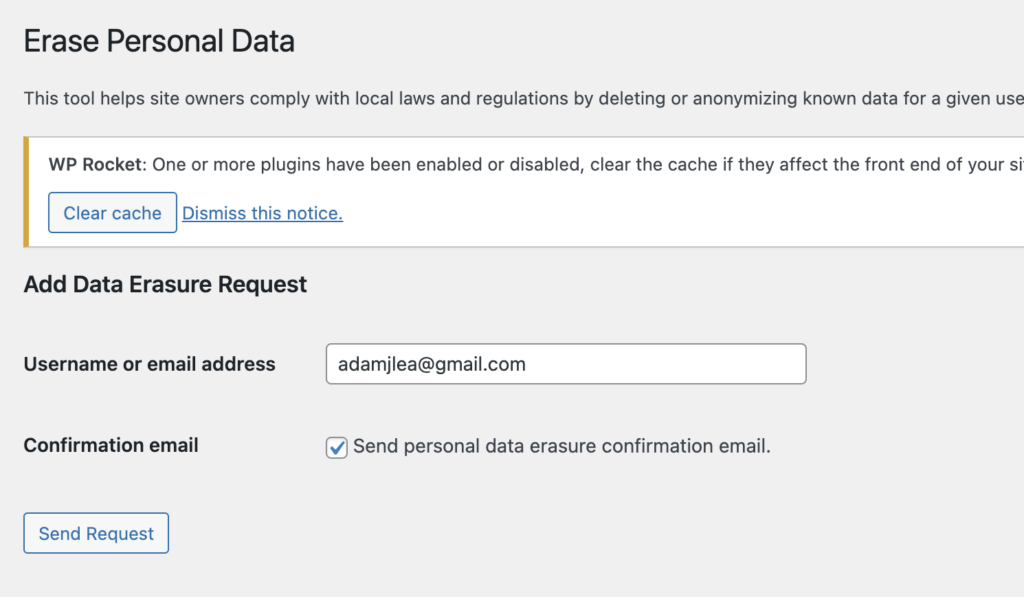
This will send an email to the customer, providing them with a link to start the account deletion process.
Return to the customer’s ticket on help scout, and reply with the Support: Delete/Remove User Account GDPR saved reply.
The Data Erasure Request will stay in a Pending status until the customer follows the link in the email sent to them.
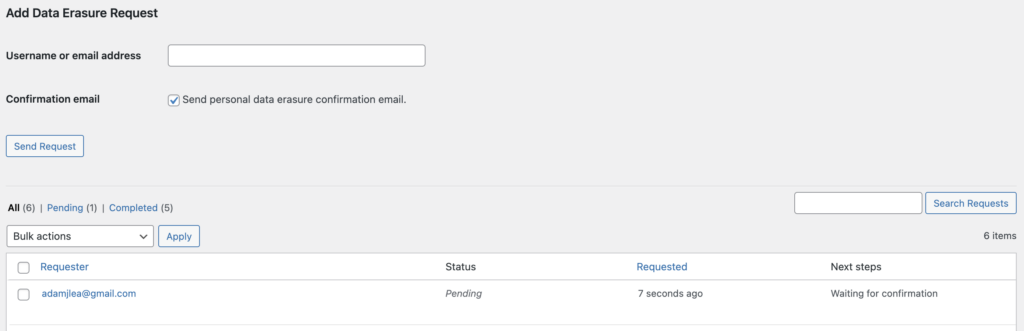
Once the customer clicks the link in the email, the Data Erasure Request will change to Confirmed and an email will be dispatched to help scout letting you know that the erasure process can continue. Return to the Erase Personal Data page in EDD and click Erase personal data link.
EDD will erase and or anonymize all of the customer and billing data.
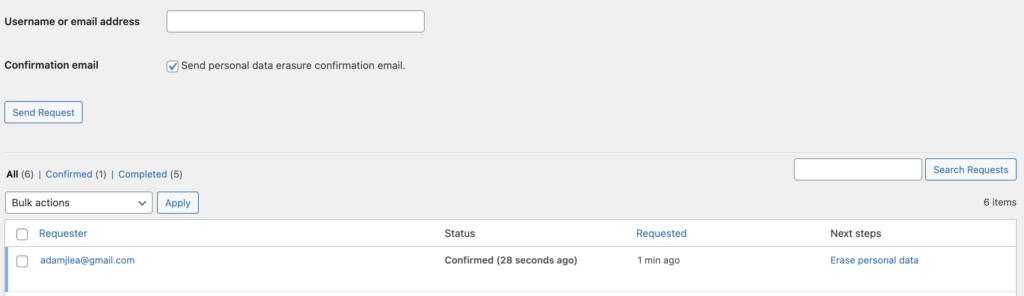
An email will be sent to the customer letting them know the process is complete, and the status will now display Completed.
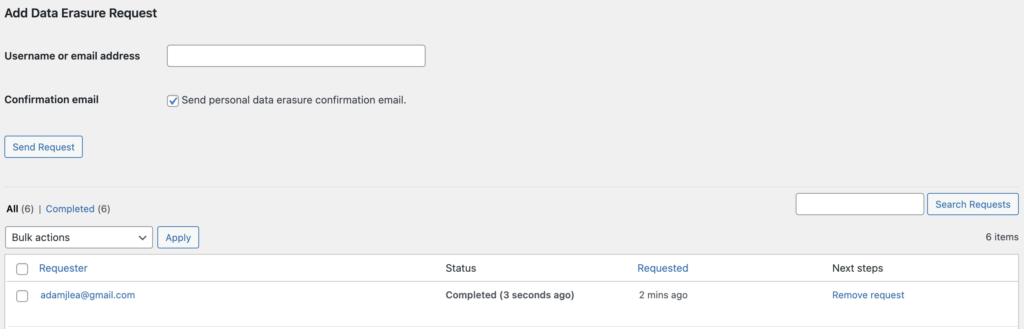
At this point you can Remove request, although I recommend keeping them around for a bit in case the customer inquires about it. You can check and tell them that, yes, the erasure was completed.
Saved Reply: Support: Delete/Remove User Account GDPR