Users who are on ‘Pay as you Go Pricing’ with our Stripe integration will request an invoice for their paid application fees, to include in their accounting records.
Invoice Creation Process
Some store owners who have an Application Fee added to their Stripe transactions can request an invoice. This is the process to provide an invoice for these requests.
We need to first calculate the Application Fee for the time frame they are requesting.
- Get the store’s Stripe account ID. You can search the Store name or their email address, it’s possible but not guaranteed it will return a connect account. Open their account and Copy ID at the top-right of the page.

If you can’t find their account, the store owner can provide it by going to their Stripe Account > Profile, Accounts are located at the bottom of the page which lists the Account ID. - Go to Payments > Collected fees and Filter by Account ID and Date Range. Note: If you do not have access to view collected fees in the Stripe account, leave a link to the Connected Account’s activity page in a note on the relevant ticket.
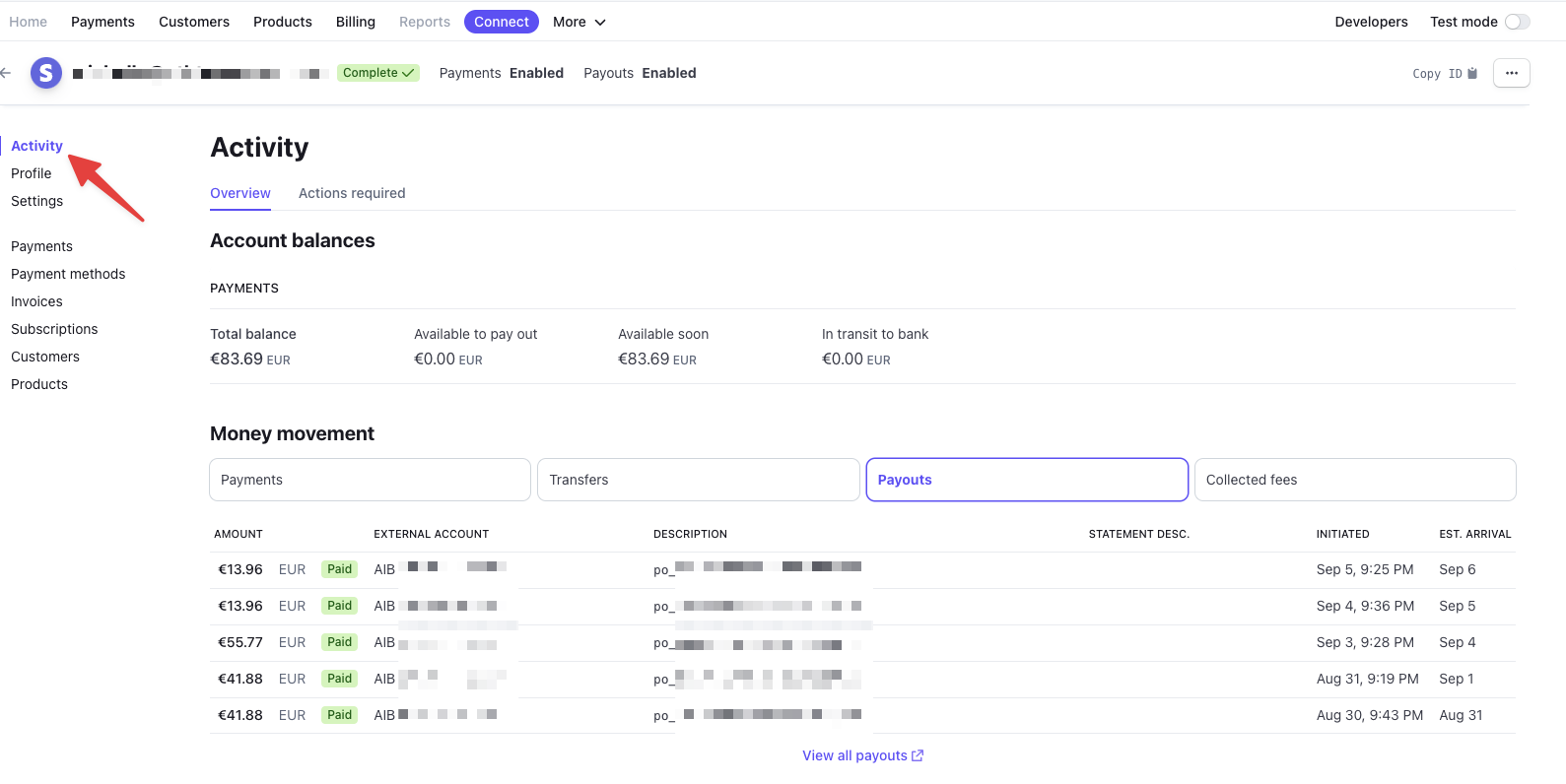
- Export the results and get a SUM of the amount to get the Total Application Fees paid.
- In Stripe go to Billing > Invoices and create a new Invoice.
- Add the customer using their Email Address. Add Name and/or Business Name. If needed, you can add their Address, which might have to be requested or found on their website.
- For the item, add a new item labeled “Application Fee 7/1/2023-9/30/2023” and add the total amount from the CSV export.
- Payment collection should be “Request payment”. This will not actually happen but you don’t want Autocharge selected.
- IMPORTANT! For Delivery, select: Do not email the customer
- Click Review Invoice
- From the invoice details page, click More > Change Invoice Status > Paid with the note “Marking paid as platform fees were already collected.”
- Click Invoice PDF to download the PDF to send to the customer.
- Use Saved Reply Billing – Application Fee Invoice and attach Invoice to reply.
Here is an invoice that’s been previously provided for reference: