SupportAssist Tutorial
SupportAssist is an internally developed and maintained AI assistance tool designed to provide our support team with possible solutions to customer inquiries prior to viewing the support ticket. SupportAssist uses the SKB site (this site you are on), our HelpScout saved replies, and our public facing documentation (https://easydigitaldownloads.com/docs) to provide possible solutions to the customer’s request.
Identifying a SupportAssist note
Currently, due to limitations in the HelpScout API, SupportAssist notes will be notes from a user within Awesome Motive (at the time of writing, this user is Chris Christoff), and have a note that states “SupportAssist Guidance”
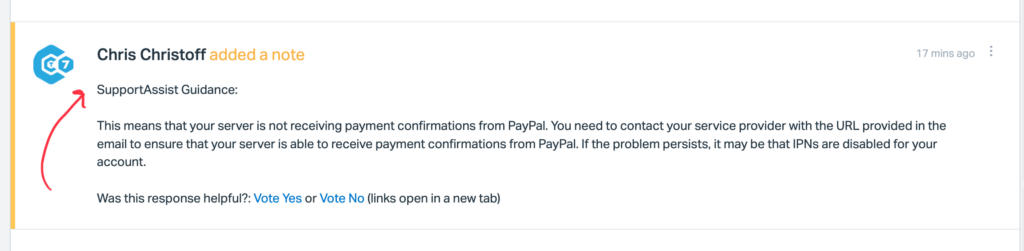
You will also see a ‘Ticket Reference Number’ located at the bottom of the customer’s inquiry. This is automatically added by the SupportAssist Plugin.
How to use the suggestions
As SupportAssist is an AI generated suggestion, you should always verify the suggestion prior to replying to a customer. These suggestions are a tool to allow our team to more quickly find the answers to a customer’s question, not to replace our experience, expertise, empathy, humanity, or due diligence to ensure that a customer get’s the right answer.
Training SupportAssist
SupportAssist users three key factors in giving it’s suggestions.
- The SKB Site
- Our Saved Replies in HelpScout
- Our public documentation site
With these factors in mind, we should take the following factors into account while working on these sites
SKB Site
When creating SKB docs, we should be clear about specifying a specific saved reply by exact title so that SupportAssist can easily suggest it. If we have a public-facing doc on the topic, we should also add a link to the SKB article, so it can be easily found by both our team, and SupportAssist.
Saved Replies
We should be very specific and deliberate in our naming conventions, so that SupportAssist, and our team can quickly find the correct Saved Reply to use in a situation.
Public Documentation
SupportAssist ignores the titles of documents and instead uses the body content to make suggestions. Therefore, we should ensure that somewhere in the doc, we are either reiterating or using the keywords for this documentation in the body content.
For example, a doc written about Cloudflare, should mention Cloudflare multiple times in the doc itself, and not rely on the title to do the heavy lifting. This not only improves SupportAssistant, but our SEO rankings as well.
✅ What if the suggestion was correct?
Be sure to click the ‘Vote Yes’. AI needs as much feedback as possible to learn to be accurate and benefits from positive feedback as much as it does from negative feedback. This helps train it’s logical decision making to follow the same paths when we find it to be accurate.
🚨 What if the suggestion was Incorrect?
If you have a suggestion that you feel is inaccurate or links to a doc that isn’t helpful, you should use the ‘Was this response helpful?’ link at the bottom and click ‘Vote No’.
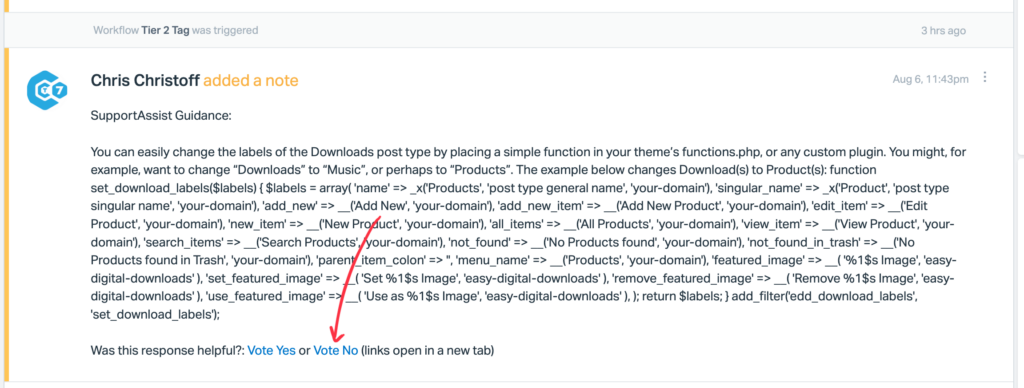
After voting, please leave a note on the ticket with the first line being “SupportAssist Feedback” outlining why the suggestion was not helpful. Some things you should include are:
- What is incorrect about the suggestion
- If there is a saved reply it should have found, the exact title of the saved reply.
- If a linked doc is inaccurate, why.
- If there is a better doc it should have found, the link to it (SKB or Public Docs)
- Any feedback that might be helpful about the suggestion itself (ignoring formatting, etc)
After voting ‘No’, this ticket will be added to the SupportAssist team’s queue to review and help improve the system.
⁉️ What if there was no suggestion, but should have been?
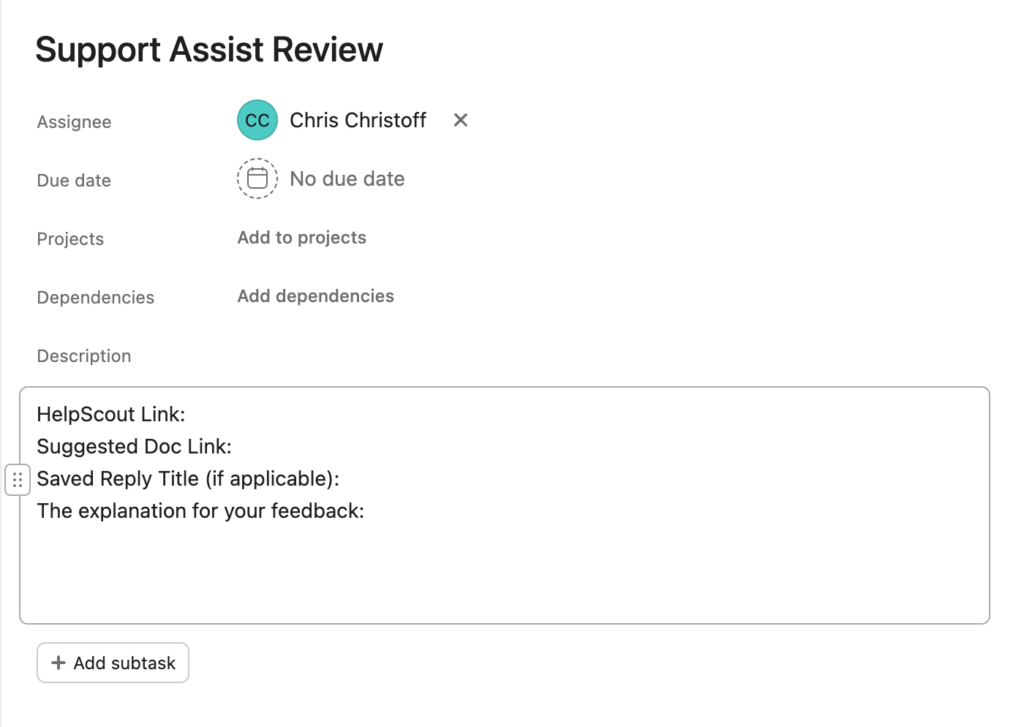
If you believe that SupportAssist should have found a doc related to the customer’s inquiry, but no suggestion was provided, please create an Asana Task with the following Information:
- Assignee: Chris Christoff
- Title: Support Assist Review
- Description
- HelpScout Link:
- Suggested Doc Link:
- Saved Reply Title (if applicable):
- The explanation for your feedback: