Introduction: In order to achieve the goal of Help Scout triage, you’ll need to quickly assess the needs for a ticket. You’ll then use this information to either immediately reply or tag the ticket with specific tags where the appropriate team members can take additional steps.
Please always use the same formatted tags when adding triage levels in Help Scout
Triaged: t1
These are the most basic of tickets like refunds, cancelations, billing questions, presale questions, etc. t1 tickets should only require basic familiarity of WP Simple Pay (so presales questions can be answered confidently) and EDD billing systems for refunds, etc.
Triaged: t2
These are tickets that require some technical acumen and in-depth familiarity with WPSP payment forms, settings, etc. Basic code and CSS help also falls into this level. Eventually this will include Adam handling webhook, hook, and rudimentary coding questions.
Triaged: t3
At this time these are tickets that require Spencer’s intervention. This can include complex CSS, more in-depth/sophisticated code help, etc.
Please collect all needed data before tagging t3 and assigning to Spencer in Help Scout:
- System Report
- Hosting provider/platform
- Backend access, if needed
- Screenshots where applicable
- Notes on what, if anything you have tried to resolve the issue
Triage Notes
You should use notes for tickets with complex issues or issues that many team members might not know about. This will help the next team member to reply much more quickly. Helpful details to include in notes can include:
- Summary of/link to any past conversations that are relevant. Slack should be used sparingly.
- Links to related conversations in Slack. Include context and possible course of action e.g., “Pinged in the dev channel to ask if X is possible. Please check: [Slack link]. Depending on their reply, we can share a code snippet or suggest custom development option”
- Links to specific tutorials, internal guides, etc. that will either be needed in the customer reply or to help the team member know what to do (you’ll save the next person some time having to look up what they need).
Here are some quick links you can use to find helpful articles:
Public Resources:
WP Simple Pay Docs
WPBeginner (search is in upper section of the site)
Internal Resources
WP Simple Pay GitHub Issues
Support Knowledge Base
Ticket with multiple questions
When there are multiple questions/issues in a ticket, try to separate the questions/issues with headings in the note and leave corresponding notes under each question.
Feature requests
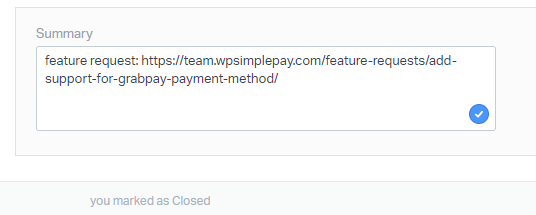
To avoid confusion, if you handle a feature request please use the ‘feature request’ tag on the ticket, and add the vote and Help Scout link into the Feature Request site. After the feature request has been saved in the Feature Request site, add a link to the actual feature request in the Summary section of the Help Scout ticket.